 Imposer Pro
Imposition Software for Mac: What Actually Runs Natively
Last updated:
Prepress has been a Windows-first world for decades. If your shop runs on Macs, most imposition options are either Windows-only, live inside Adobe Acrobat as plug-ins, or run x86 code under emulation. Here's what to check before committing — and where Imposer Pro fits.
The Mac imposition landscape
Imposition tools come in three shapes:
- Prepress suite modules — powerful, but priced and sized for large printing plants, and often Windows-only.
- Acrobat plug-ins — run inside Adobe Acrobat Pro, so they inherit Acrobat's licensing, updates and quirks. If Acrobat breaks or the subscription lapses, so does your imposition.
- Standalone apps — self-contained programs that read and write PDF directly. Fewer moving parts; the only question is how well they're built for the Mac.
Four things to check on macOS
- Native Apple Silicon build. Emulated x86 apps work, but imposition is CPU-heavy — embedding hundreds of pages, rendering previews, converting color. Native M-series builds are noticeably faster and don't burn battery on laptops.
- No Acrobat dependency. A standalone tool keeps working regardless of Adobe licensing changes.
- Local processing. Client artwork shouldn't leave the building. Web-based imposition services upload your customers' files to someone else's server.
- The full layout set. Step & repeat, n-up, cut & stack and saddle-stitch booklets with creep compensation — not just "2-up".
Imposer Pro on the Mac
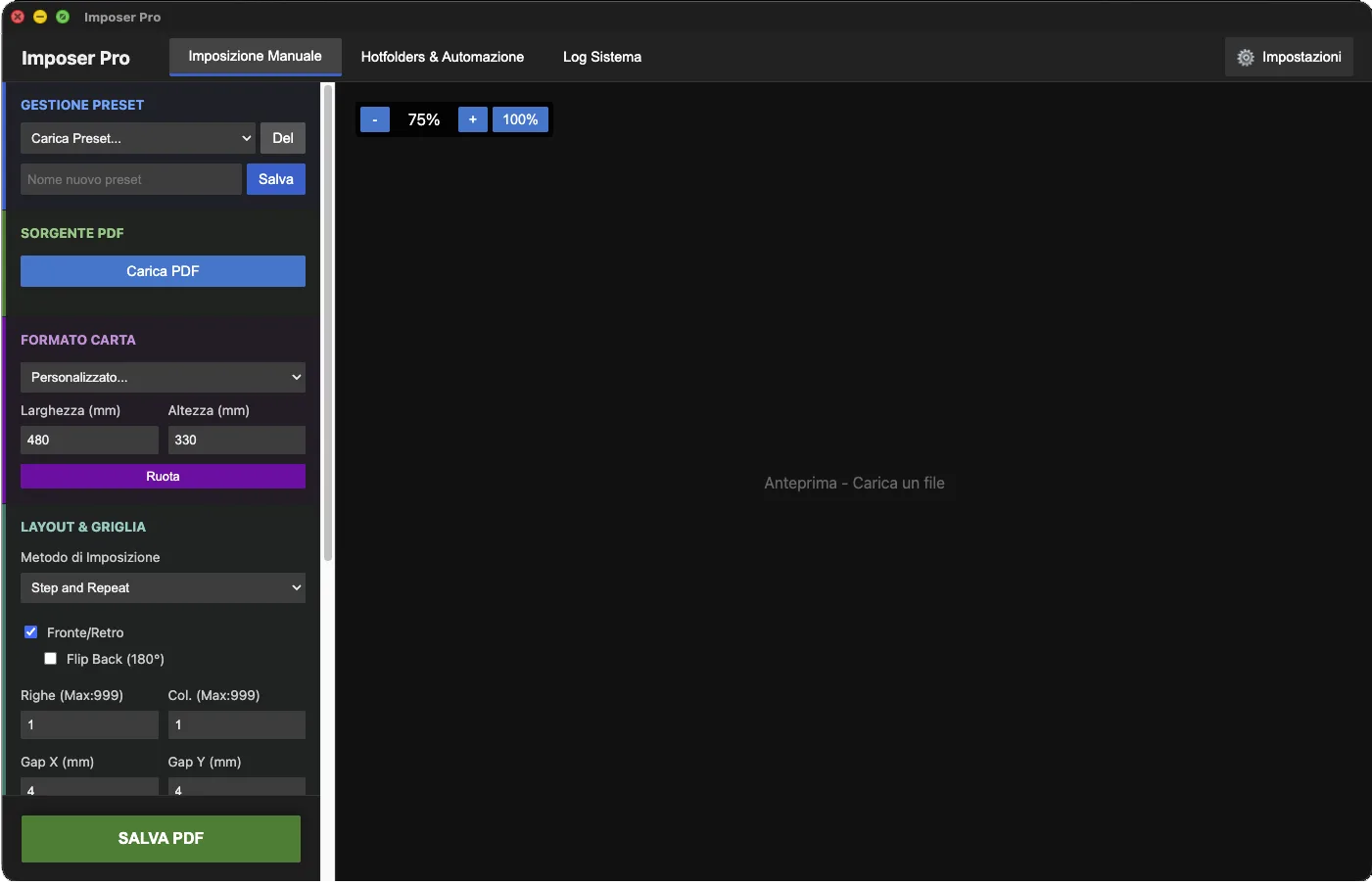
Imposer Pro is a native Apple Silicon app, built for exactly this checklist:
| Checklist | Imposer Pro |
|---|---|
| Native Apple Silicon build | ✓ Yes (M-series Macs) |
| Works without Adobe Acrobat | ✓ Yes — fully standalone |
| Files processed locally, offline | ✓ Yes — nothing uploaded, ever |
| Layouts | Step & repeat · N-up · Cut & stack · Saddle-stitch booklet with automatic creep |
| Automation | ✓ Hotfolders with multiple presets per folder |
| Extra installs required | None — QPDF and Ghostscript come bundled |
| License | €349 one-time, lifetime — no subscription |
| Also on Windows | ✓ Windows 10/11 64-bit |
New to imposition? Start from What is PDF imposition? or the booklet imposition guide. Coming from an Acrobat plug-in? See the Quite Imposing comparison.
Frequently asked questions
Does it run natively on Apple Silicon?
Yes — the macOS build is native for M-series Macs. The same license also covers the Windows 10/11 version.
Do I need Adobe Acrobat?
No. Imposer Pro is fully standalone — it reads and writes PDFs itself, with QPDF and Ghostscript bundled for repair and color work.
Are my files uploaded anywhere?
No. Everything is processed locally on your Mac; an internet connection is only needed for the initial license activation.
Try it on your Mac today
Native Apple Silicon, standalone, offline — with hotfolder automation built in.
Try free for 7 days Buy Imposer Pro —One-time payment, lifetime license · No credit card required for the trial